Maximize Your Workspace with the USB C to Dual HDMI Adapter: A Comprehensive Review
Our Product Insight
In today’s fast-paced digital world, having the right tools can make all the difference in how efficiently we work and play. The USB C to Dual HDMI Adapter is designed to enhance your productivity by allowing you to connect two HDMI monitors to your USB-C device. Whether you’re a professional needing extra screen space for multitasking or a gamer looking to elevate your gaming experience, this adapter has got you covered. With support for 4K resolution at 60Hz, it promises stunning visuals and seamless performance.Key Features
Let’s dive into some of the standout features of the USB C to Dual HDMI Adapter:- Dual HDMI Outputs: This adapter allows you to connect two HDMI monitors simultaneously, making it perfect for presentations, video editing, or simply extending your desktop.
- 4K@60Hz Resolution: Experience crystal-clear visuals with support for 4K resolution at 60Hz. This means you can enjoy high-definition content without lag or distortion.
- USB 2.0 Port: The inclusion of a USB 2.0 port allows you to connect additional peripherals like a keyboard or mouse, enhancing your workspace efficiency.
- Power Delivery (PD) 100W: The adapter supports power delivery, enabling you to charge your device while using it. This feature is especially useful for laptops and tablets that require a constant power source.
- Compatibility: It works seamlessly with a variety of devices, including MacBook Pro/Air, iPad, Surface, and Dell laptops. This versatility makes it a great addition to any tech setup.
Who It's For
The USB C to Dual HDMI Adapter is ideal for a wide range of users:- Professionals: If you work in fields like graphic design, video editing, or data analysis, having dual monitors can significantly improve your workflow. This adapter enables you to view multiple applications side by side, enhancing productivity.
- Gamers: For gaming enthusiasts, connecting two monitors can create an immersive experience. You can have your game on one screen while keeping chat or streaming software open on the other.
- Students: Whether you’re attending online classes or conducting research, having dual screens can help you manage your studies more effectively.
- Home Office Users: With more people working from home, this adapter is perfect for creating a comfortable and efficient workspace. You can easily switch between work and leisure activities without the hassle of constantly connecting and disconnecting devices.
Pros and Considerations
While the USB C to Dual HDMI Adapter offers numerous benefits, it’s essential to consider both the pros and potential limitations:Pros:
- Easy Setup: Plug-and-play functionality means you can get started quickly without complicated installations.
- High-Quality Build: The adapter is designed to withstand regular use, making it a practical choice for daily tasks.
- Compact Design: Its lightweight and portable nature make it easy to carry around, perfect for those on the go.
Considerations:
- Limited to USB-C Devices: This adapter is specifically designed for USB-C devices, so it may not be compatible with older laptops or devices that lack a USB-C port.
- Potential Resolution Limitations: While it supports 4K at 60Hz, some users may experience limitations based on their device’s capabilities. Always check your device specifications to ensure compatibility.
In summary, the USB C to Dual HDMI Adapter is a versatile tool that can significantly enhance your digital experience, whether for work or play. With its dual HDMI outputs, stunning 4K resolution, and additional USB port, it caters to a variety of users looking to maximize their workspace. If you’re in the market for a reliable solution to connect multiple monitors, this adapter is definitely worth considering. Check current price and see how it can transform your setup today!
Whether you’re a professional, gamer, student, or just someone looking to improve your home office, this adapter is designed to meet your needs and elevate your productivity. Don’t miss out on the opportunity to enhance your digital workspace with this handy gadget!
Happy multitasking!
More Products You Might Like

JSAUX USB C to 3.5mm Jack Audio Aux Cable [1M], Aux to USB C

USB C to 3.5mm Jack, Type C to 3.5mm Headphone Aux Digital A
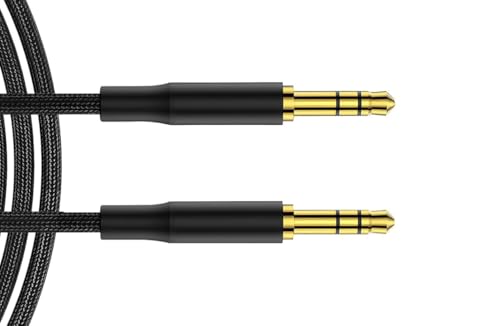
LockMingle Aux Cable Nylon Braided Stereo 3.5mm Audio Cable,

YHQZ 1M Aux Cable Braided Stereo 3.5mm Audio Cable,Mini Jack

UGREEN Aux Cable 3.3FT 3.5mm to 3.5mm Audio 24K Gold-PlatedM
Disclaimer: This article has been generated through our AI content insight system and is intended for general informational purposes only. Please carry out your own research and review product details directly before making any purchase decisions.